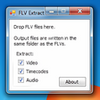
Effortlessly download and convert online videos with built-in media format flexibility
Effortlessly download and convert online videos with built-in media format flexibility
Vote (30 votes)
Program license Free
Developer GreenTree Applications SRL
Version 8
Works under Windows
Vote
(30 votes)
Developer
GreenTree Applications SRL
Works under
Windows
Program license
Free
Version
8
Pros
- Simple, intuitive interface ideal for beginners
- Supports multiple popular video formats for conversion
- Quick download and conversion speeds
- Lightweight and efficient, even on older PCs
- Preview player included for quick viewing
Cons
- Automatic conversion requires paid upgrade
- Lacks advanced features like editing or batch downloading
- Small built-in player suited for previews only
- Limited to supported websites and public videos
A quick and efficient tool for downloading and converting online videos.
Straightforward Video Downloading
FLV.com FLV Downloader offers an accessible solution for users looking to save online videos directly to their Windows computers. Its interface focuses on simplicity, presenting users with familiar navigation and clearly labeled tabs. Downloading videos is as simple as pasting the target URL, choosing a destination folder, and starting the process. The downloader supports a wide range of popular video-hosting sites, so acquiring clips for offline viewing or archival purposes is convenient.
Built-In Video Converter for Versatile Playback
A prominent feature of FLV Downloader is its integrated video converter, which addresses compatibility issues often encountered with FLV files. FLV Downloader enables users to easily convert their downloaded content into common formats, including MP4, AVI, WMV, and MP3, making playback possible on a variety of devices and media players. For users with the free version, file conversion takes place manually through the Convert tab, letting users transform any supported local FLV file into the preferred format.
User-Friendly Interface and Controls
FLV Downloader organizes its features into four clearly defined tabs: Download, Convert, Activity, and Play. The Activity tab provides a real-time overview of download and conversion progress, with the ability to pause, resume, or cancel ongoing tasks—helpful for managing bandwidth or prioritizing certain files. The Play tab serves as a built-in media player, allowing users to preview downloaded content before proceeding with conversions or transfers. While its capabilities are limited compared to standalone media players, it effectively serves as a quick preview tool.
Performance and Limitations
FLV Downloader is notable for its minimal footprint on system resources, making it a suitable choice for users running older Windows hardware. Download and conversion speeds are generally fast, depending on the user’s network and system performance. However, automatic conversion during downloads is reserved for users who upgrade to FLV Downloader Plus, while free users need to initiate conversions manually. The program does not include advanced video editing tools, batch download capabilities, or support for downloading private or restricted online content.
Compatibility and Site Support
The downloader maintains compatibility with a broad selection of over 50 video-sharing websites, covering most mainstream platforms. Periodic updates may be needed to ensure continued functionality as website structures or video protocols change.
Pros
- Simple, intuitive interface ideal for beginners
- Supports multiple popular video formats for conversion
- Quick download and conversion speeds
- Lightweight and efficient, even on older PCs
- Preview player included for quick viewing
Cons
- Automatic conversion requires paid upgrade
- Lacks advanced features like editing or batch downloading
- Small built-in player suited for previews only
- Limited to supported websites and public videos